
04 — Documentation
Everything you need
before deployment.
Explore every module, understand how SelfCRM works, learn how deployment happens and discover exactly what is included with your purchase.
Getting started
04.01 · Getting started
What SelfCRM is — and what it isn't.
SelfCRM is a production-grade WhatsApp CRM platform delivered as source. It is purchased once and deployed on your own infrastructure. It is not a subscription, not a hosted SaaS, and not a template.
Note
Who should purchase SelfCRM
- · Businesses running WhatsApp as a primary sales or support channel
- · Agencies deploying CRMs on behalf of clients
- · Teams tired of per-user SaaS pricing and vendor lock-in
- · Companies with strict data residency or compliance requirements
Note
Who should not purchase SelfCRM
- · Teams that don't want to host their own software
- · Buyers looking for a free tier or trial account
- · Businesses that don't use WhatsApp for customer communication
Delivery timeline · under 24 hours
Purchase
License verification
Source code delivery
Deployment guide
Installation
Business ready
Next
Installation
04.02 · Installation
Deploy in 30 to 60 minutes.
SelfCRM ships as a Docker Compose bundle with a documented environment file. Every value has a sane default. A live engineer will pair with you during initial deployment — included with every purchase.
Server requirements
Business value
Free initial deployment included
Best practice
Recommended first deployment
Next
Dashboard
04.03 · Dashboard
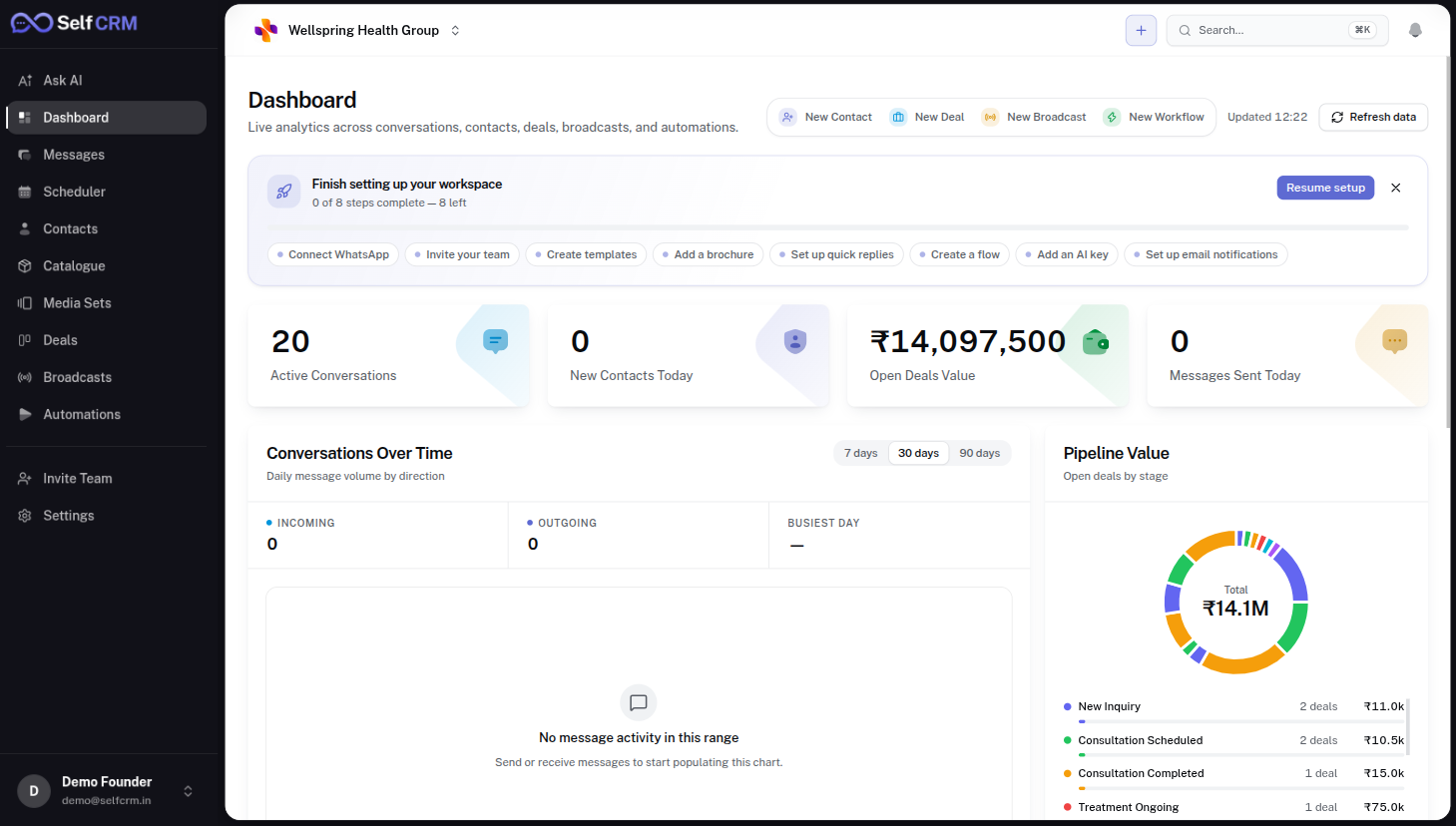
One glass for the whole business.
Revenue, response time, message volume, pipeline movement and per-agent performance — updated in real time and scoped to the viewer's role.
Purpose
- Business overview at a glance
- Live metrics across every channel
- Quick actions to the most-used flows
- Conversation and pipeline analytics
- Activity monitoring per agent
Business value
Business value
Technical notes
Technical notes
Next
Inbox
04.04 · Inbox
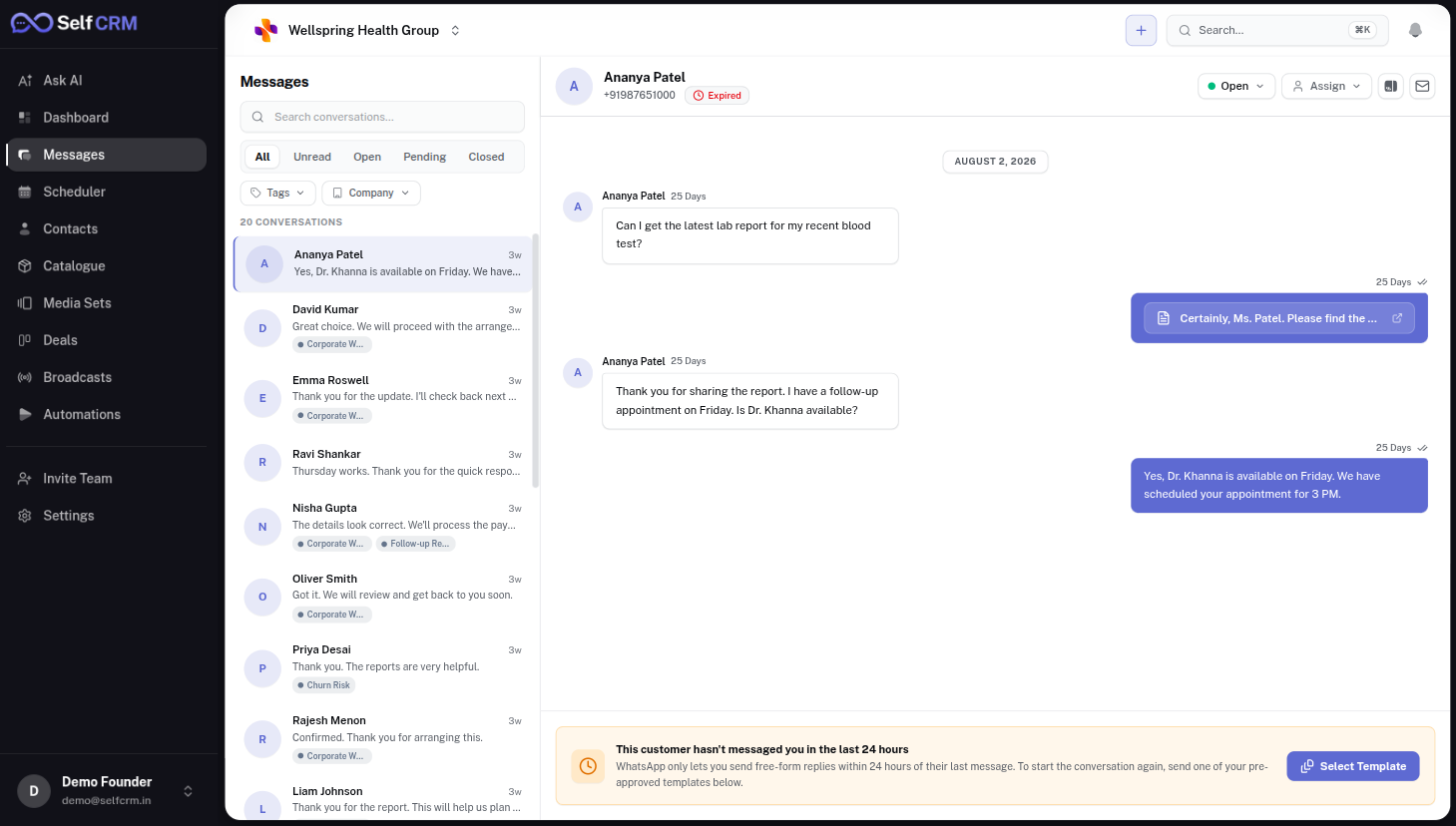
Every customer. One place.
A unified conversation surface across every WhatsApp number, agent and workspace — with assignments, SLAs, internal notes and keyboard-first triage.
Purpose
- Unified conversation management
- WhatsApp communication in a native inbox
- Customer assignment and SLAs
- Internal collaboration and notes
- Reply drafting with templates
- AI-assisted suggestions
Business value
Business value
Technical notes
Technical notes
Next
Contacts
04.05 · Contacts
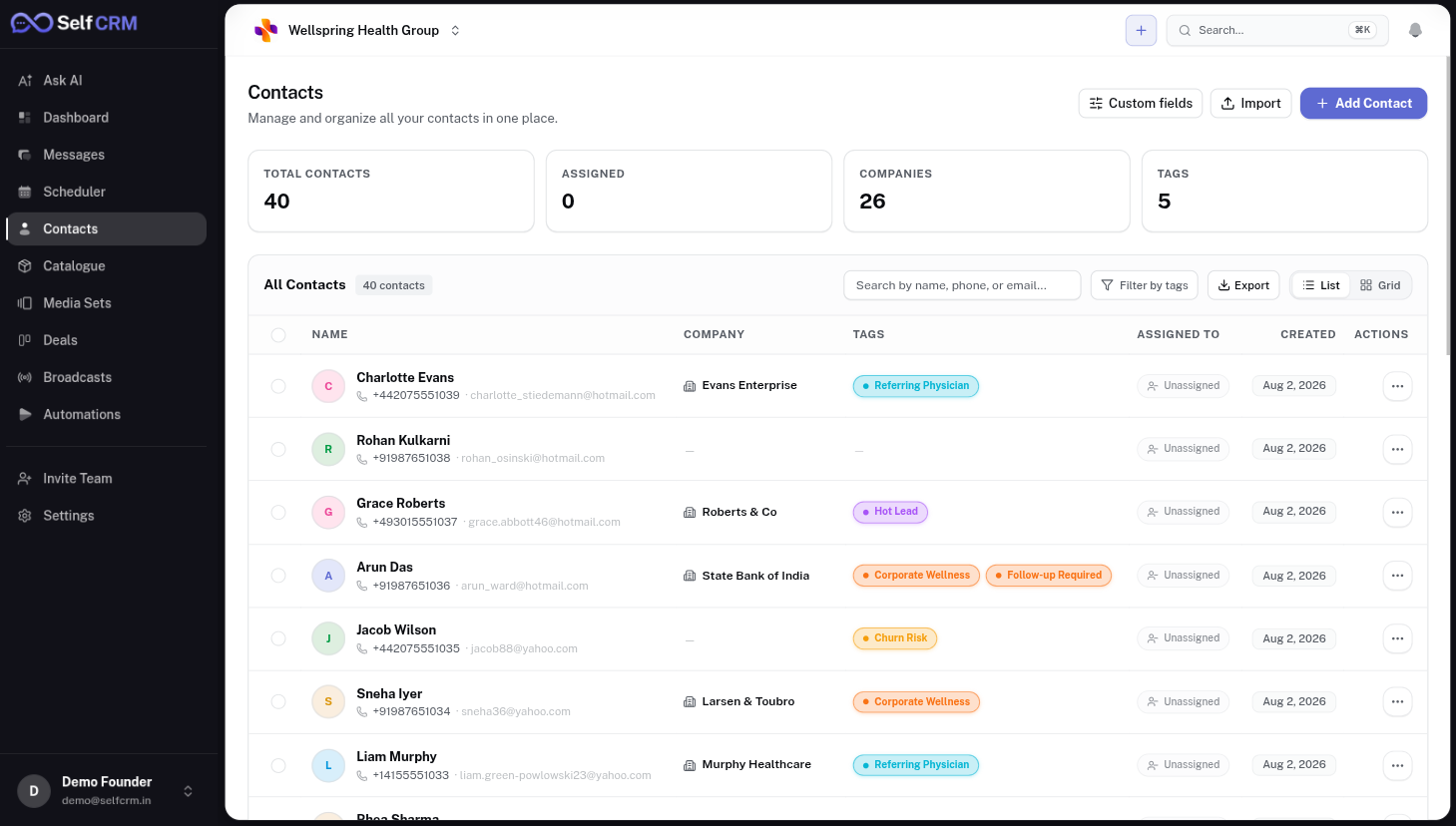
Your customer database.
Every conversation writes to a contact record in your own PostgreSQL — not a vendor database. Full history, unlimited attributes, exportable any time.
Purpose
- Central customer database
- Tags and segments
- Custom fields per contact type
- Import from CSV and CRM
- Export to CSV, warehouse or webhook
- Full-text search
Business value
Business value
Technical notes
Technical notes
Next
Pipelines
04.06 · Pipelines
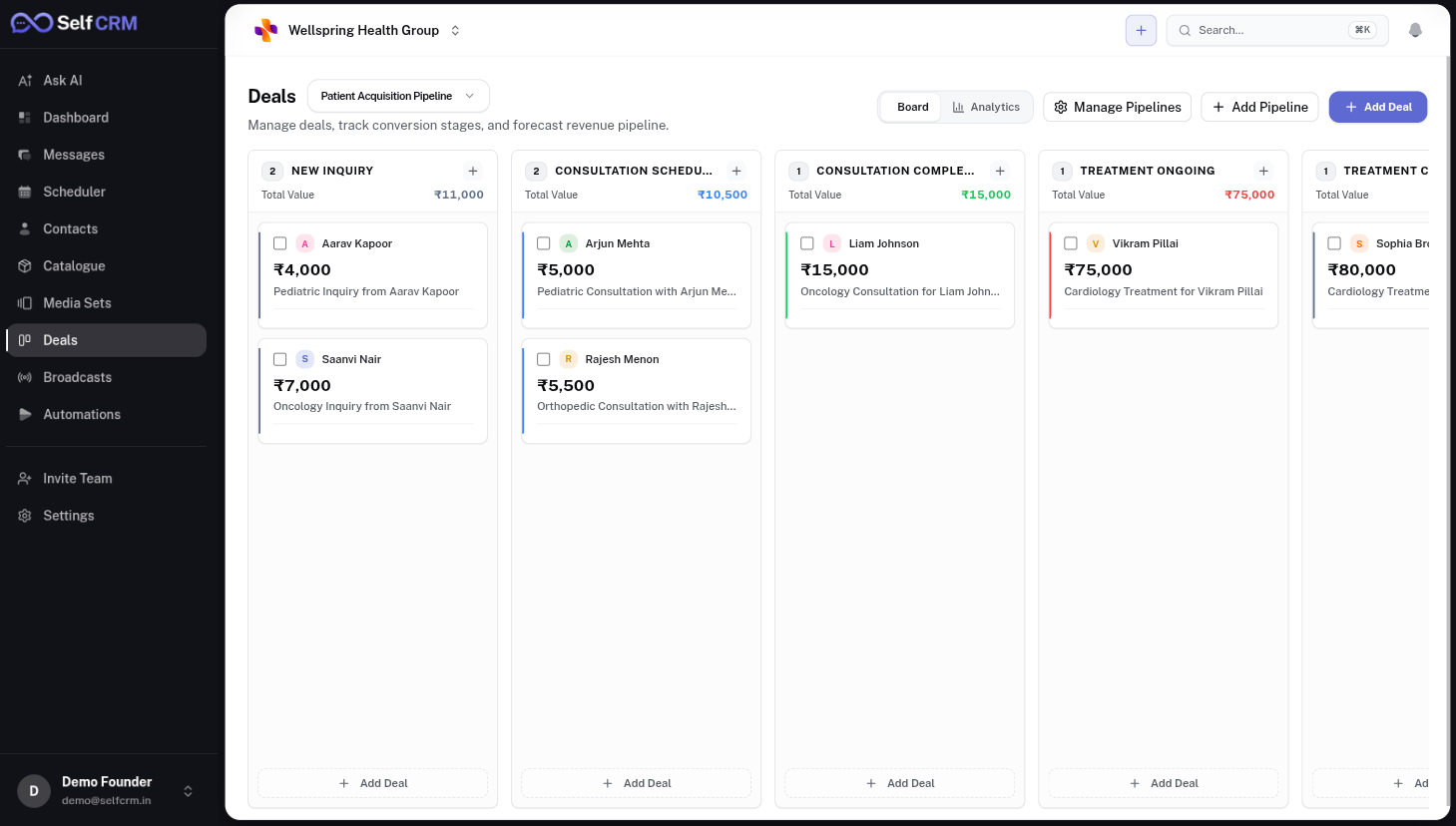
Revenue becomes visible.
A drag-and-drop pipeline with unlimited stages, per-deal custom fields and rules that fire on every transition. Attribution flows back to the originating conversation.
Purpose
- Configurable sales stages
- Drag-and-drop deal management
- Deal tracking with owners and due dates
- Revenue forecasting per stage
Business value
Business value
Technical notes
Technical notes
Next
Broadcasts
04.07 · Broadcasts
Reach everyone from your own platform.
Approved Meta templates, audience segmentation from any CRM attribute, and delivery, read and reply attribution — all from inside your SelfCRM installation.
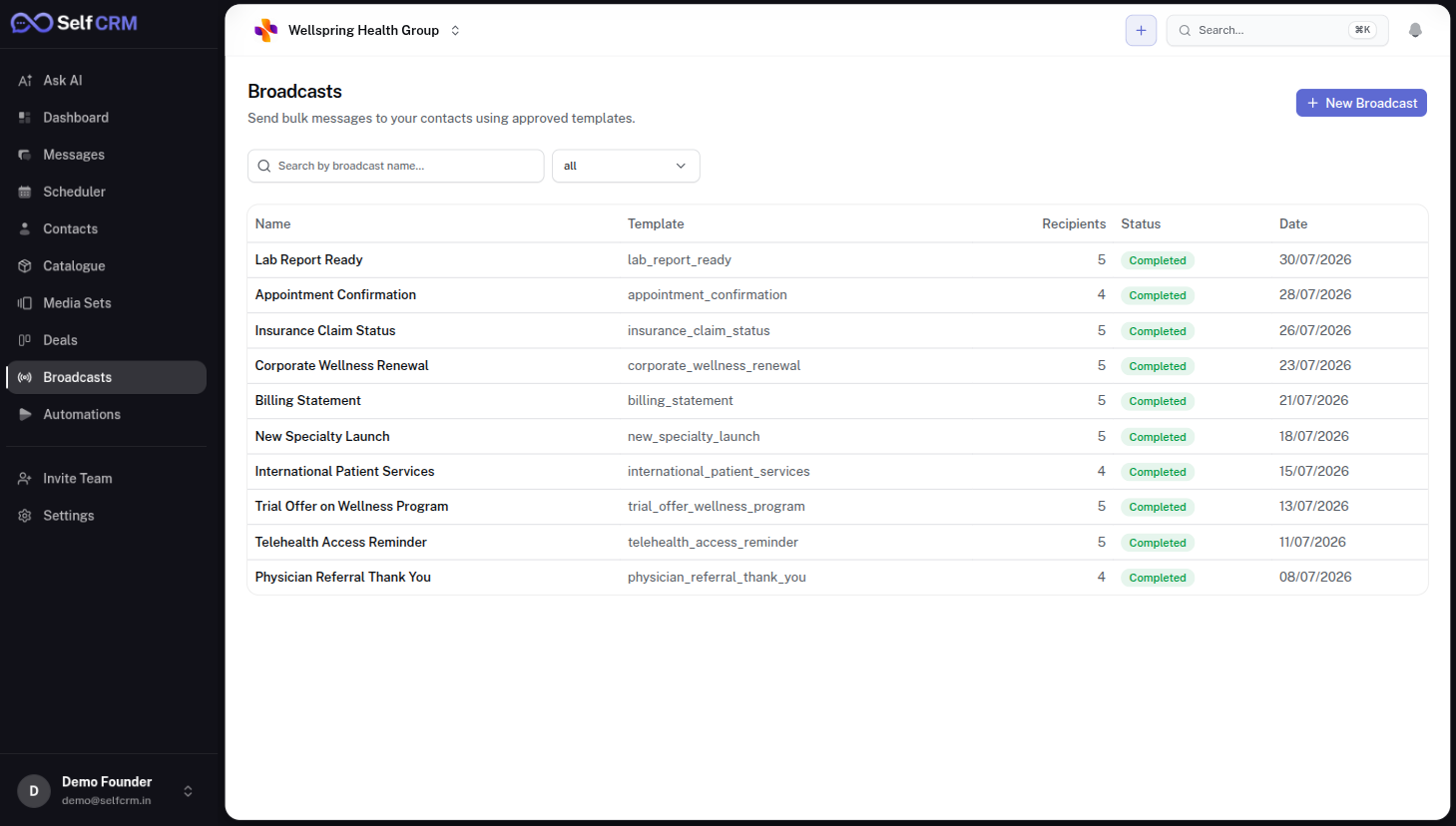
Purpose
- Meta-approved template flows
- Bulk campaigns to segments
- Audience selection by any attribute
- Campaign history and reports
Business value
Business value
Next
Automations
04.08 · Automations
Codify the flows you keep re-explaining.
Event-based workflows built in a visual builder — triggers, filters, branches and actions, with retries, dead-letter and audit logs on every run.
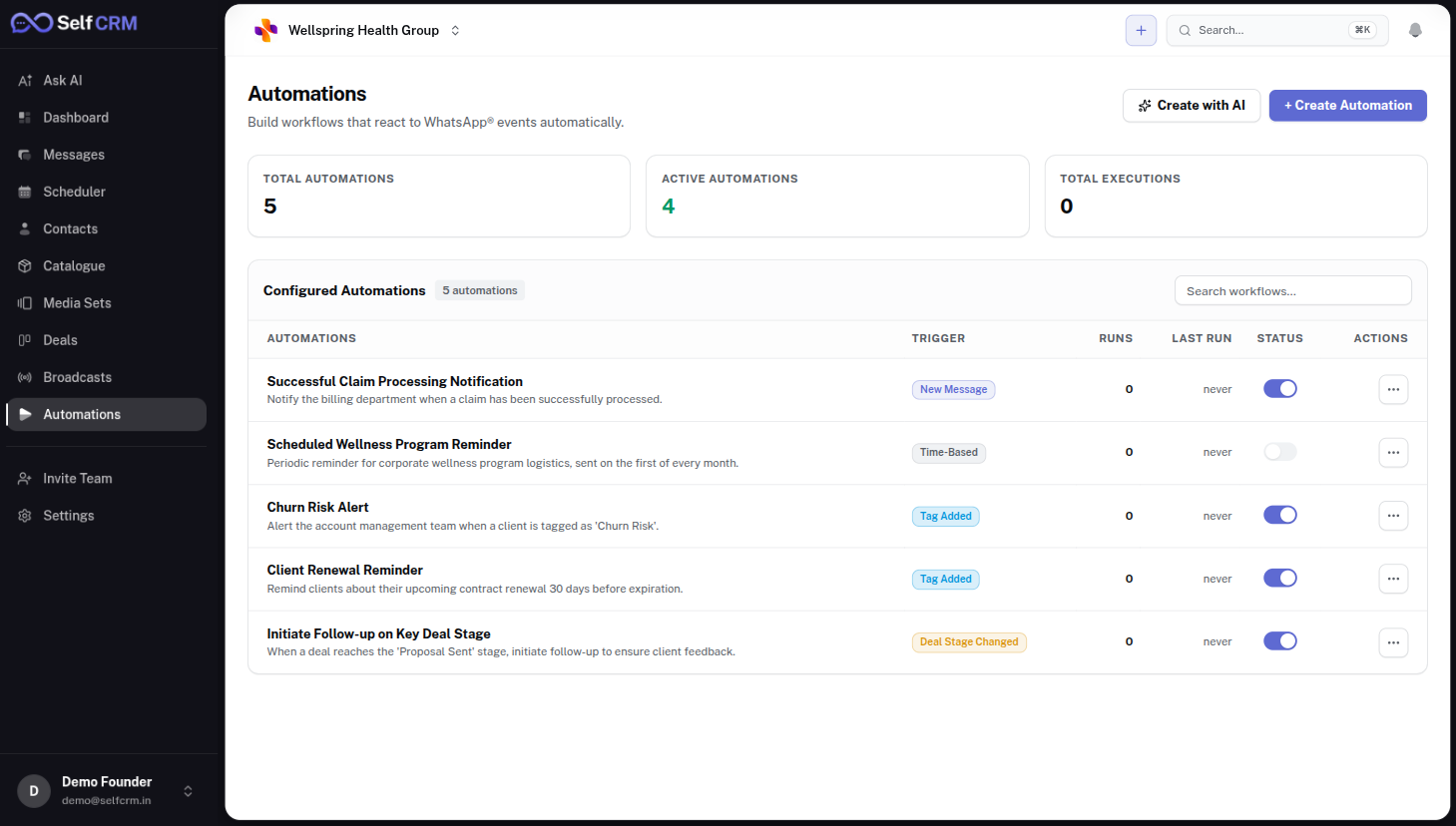
Purpose
- Event-based workflows
- Welcome messages on first contact
- Lead qualification via forms and tags
- Follow-up reminders
- Slack / email / webhook actions
Business value
Business value
Technical notes
Technical notes
Next
AI Agents
04.09 · AI Agents
Your provider. Your keys. Your policies.
Bring your own OpenAI, Anthropic or local model. The AI reads your knowledge base and drafts replies in your tone — the request goes directly from your server to the provider, never through us.
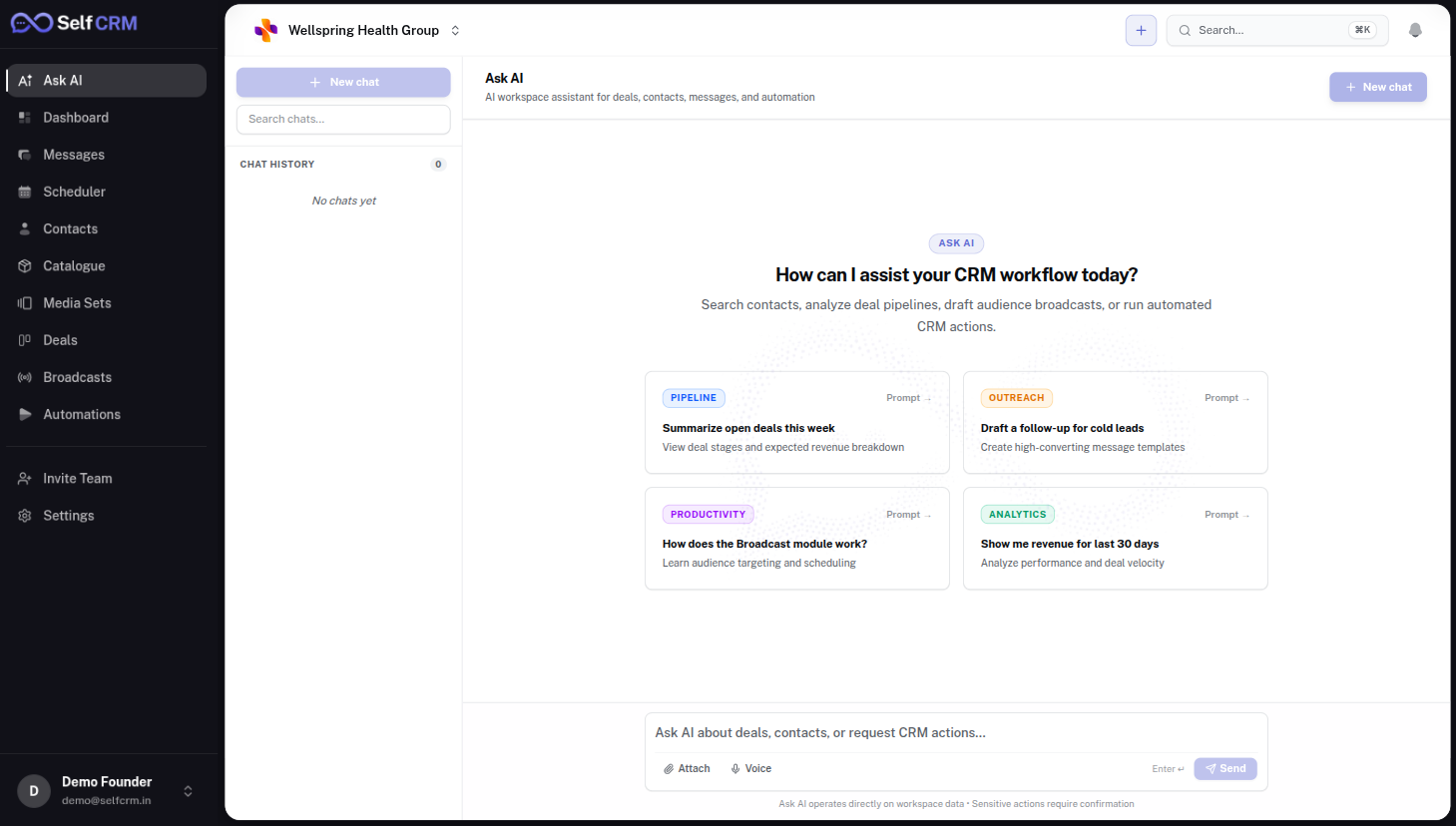
Purpose
- Bring your own API key
- OpenAI, Anthropic, Groq, Ollama
- Knowledge base with RAG retrieval
- Draft replies for human review
- Provider-side usage analytics
- Prompt playground for tuning
Business value
Business value
Technical notes
Technical notes
Next
Settings
04.10 · Settings
Configure once. Operate confidently.
Workspace, branding, teams, roles, templates, Meta credentials, AI keys, currency, custom fields — every surface is a settings screen, not a database migration.
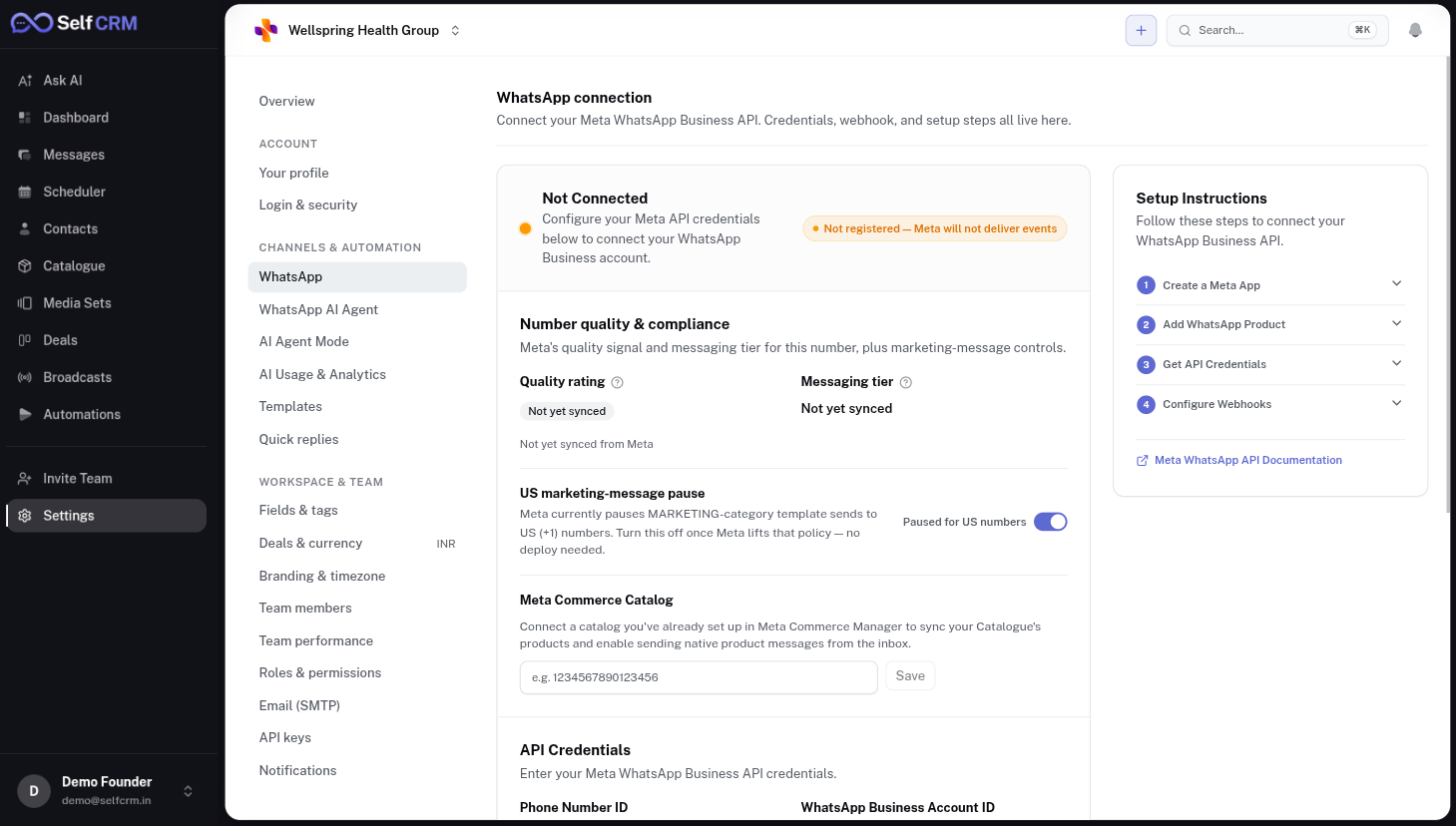
Purpose
- Workspace configuration
- WhatsApp templates and fields
- Team members and roles (RBAC)
- Meta business credentials
- AI provider API keys
- Currency and locale
- Custom fields per entity
Business value
Business value
Next
API & Webhooks
04.11 · API & Webhooks
Every entity, every action, every event.
SelfCRM exposes the same REST surface the UI uses. Every entity is readable and writable. Every action publishes a signed webhook you can subscribe to.
REST APIs
- Documented OpenAPI 3.1 specification
- Same authentication as the UI (JWT + workspace scope)
- Predictable pagination and filtering
- Rate limits configurable per workspace
Webhook events
- message.received / message.sent
- contact.created / contact.updated
- deal.stage_changed / deal.won
- automation.run.completed
- Signed payloads · retry with exponential backoff
Custom integrations
Detailed developer documentation — including a Postman collection, TypeScript SDK and end-to-end examples — is included after purchase.
Next
Deployment
04.12 · Deployment
Own every layer of the stack.
From the customer message down to nightly backups on your S3 bucket — every layer belongs to you. Nothing depends on a SelfCRM-hosted service to keep working.
Architecture · request lifecycle
Next
Customization
04.13 · Customization
Your business isn't standard. Your software shouldn't be either.
Every purchased installation can be extended by our engineering team — modules, integrations and workflows built inside your repository, delivered as merged pull requests.
- Industry-specific workflows
- ERP integration
- Accounting software
- Internal dashboards
- Approval systems
- Payment gateway
- Inventory modules
- Custom reports
- AI workflows
- Bespoke modules
Business value
Every feature becomes part of your installation
Next
Frequently asked
04.14 · FAQ
Buyers ask these first.
Next step