
Automations
The follow-up you meant to send, sent.
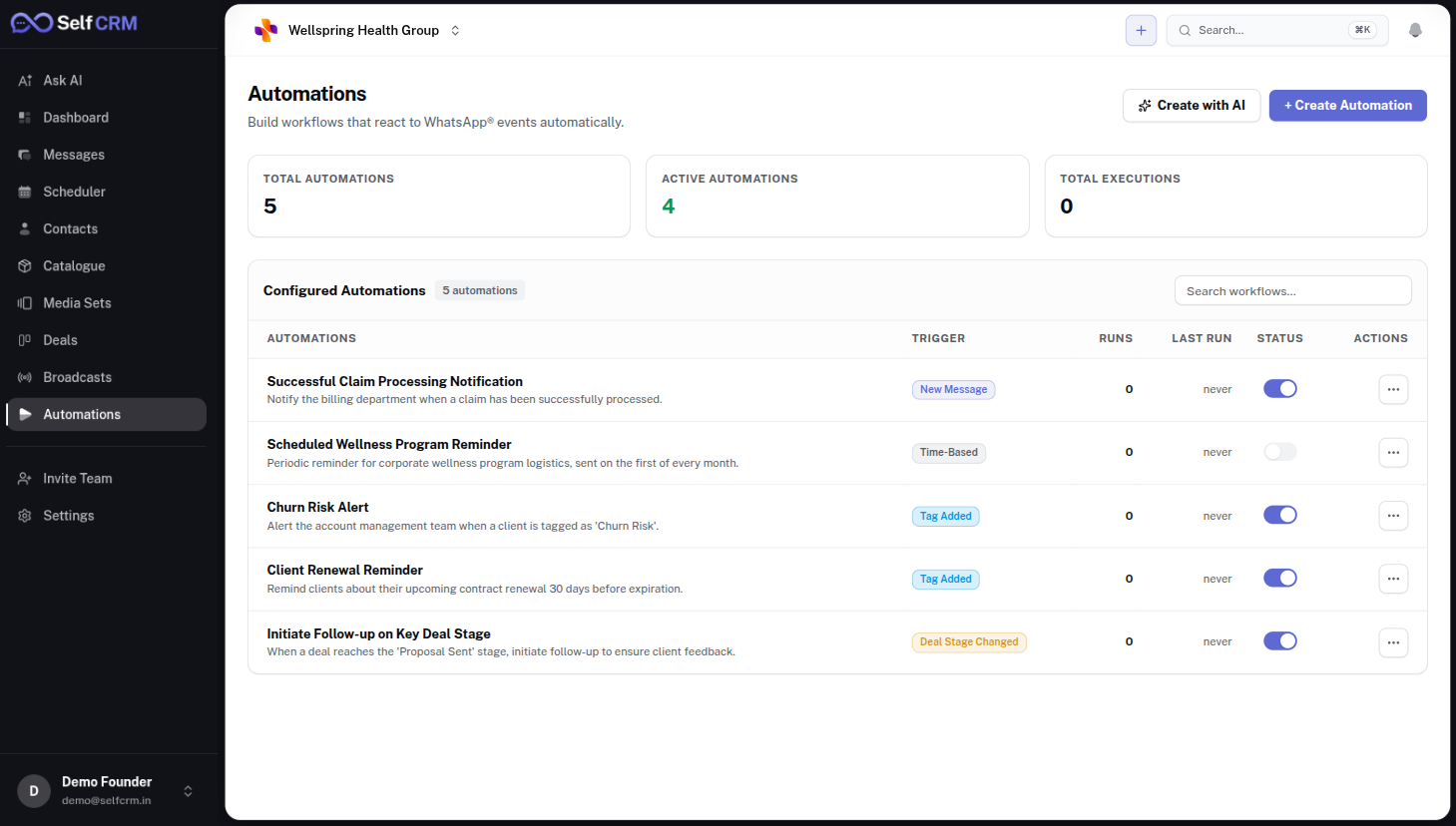
Build WhatsApp automations visually: when something happens, check a condition, then act. Tag, assign, remind or message, with a full history of every run.
500+
businesses across 9 industries
7 days
free on Growth, no card
0%
markup on Meta's message rates
Seconds
for SelfAI to reply, day or night
Your process lives in someone's head.
Every business has rules: tag the VIPs, remind the no-shows, pass the big orders to the manager. When those rules depend on people remembering, they break on the busiest day.
Follow-ups slip
The second message is what closes deals, and it is the one that never gets sent.
New staff relearn everything
The same steps are explained again and again.
Manual tagging is inconsistent
Reports are only as good as the tags, and nobody tags the same way.
Bolted-on tools break
External automation tools fail silently when one connection changes.
How an automation works
- Step 1
Pick a trigger
A new chat, a keyword, a tag, a deal stage change or a time.
- Step 2
Add conditions and branches
Only for this number, this tag or outside working hours.
- Step 3
Choose actions
Assign, tag, notify, update a field or send an approved template.
Automation without the fragility
Visual builder
Triggers, filters, branches and actions on one canvas.
Runs in the cloud
Automations keep working when every laptop is closed.
Retries and run history
See every run, what it did and why it stopped.
Works with SelfAI
Let SelfAI answer, then let automations route and tag.
Pipeline triggers
Act when a deal moves stage.
Webhooks on Pro
Send events to your own systems.
Popular automations
After-hours routing
Night chats go to SelfAI, then to the morning shift.
Lead tagging
Keywords like 'price' or 'visit' tag and assign the chat.
Appointment reminders
Approved reminder templates before bookings.
VIP escalation
Large orders go straight to a manager.
In our customers' words.
“Patients message us after clinic hours with the same few questions. The SelfAI answers them from our own information and the team picks up whatever needs a doctor. Fewer missed enquiries, and the front desk is calmer.”
Dr. Maulik Kaneriya
Healthcare · India
“Follow-up used to depend on someone remembering. Now every patient chat sits in one inbox with notes, and reminders go out on time. Fewer patients drop off between consultation and treatment.”
Dr. Nirav Patel
Healthcare · India
“Broadcasts let us share camp dates and care reminders with the right group of patients in minutes, without opening each chat.”
Dr. Namrata Mehta
Healthcare · India
“Our staff and I can see the whole conversation history before we reply, so patients never have to repeat themselves.”
Dr. Nagarajan Ramakrishnan
Healthcare · India
“One shared inbox for the clinic numbers. Nothing sits unanswered over a weekend any more.”
Dr. Sivaram Kannan
Healthcare · India
“Enquiries arrive at all hours from different countries. The SelfAI replies straight away with brochures and availability, and my team follows up the serious buyers the next morning.”
Sudhir Dhodakiya
Real estate · UAE
Loved by 500+ businesses across industries
From neighbourhood shops to household names, teams in India, the UAE, New Zealand and Germany run their WhatsApp on SelfCRM.














Official WhatsApp Cloud API
No unofficial tools
Your own Meta Business account
Your number stays yours
0% markup on Meta rates
You pay Meta's price
7-day free trial
No card needed
Export your data any time
Chats and contacts
Questions people ask.
Something else? Ask us directly.
Do I need to code?
No. Automations are built visually.
Can automations send messages?
Yes, using approved templates where WhatsApp rules require them.
What happens if an automation fails?
It retries, and the run history shows exactly where and why.
Is automation included in every plan?
Yes. Starter includes 10 active automations, and Growth and above are unlimited.
How do I try it?
Start a 7-day free trial of the Growth plan. No card needed. Connect your WhatsApp number, and if you stop, your data stays safe until you decide.
Write the rule once. Let it run.
Build your first automation during the free trial and stop relying on memory.